插件介绍
🖥️ Agent-project workbench for DeepSeek Harness — sidebar app drawer + dockable split workspace + a live control room watching every project.
项目详情摘要
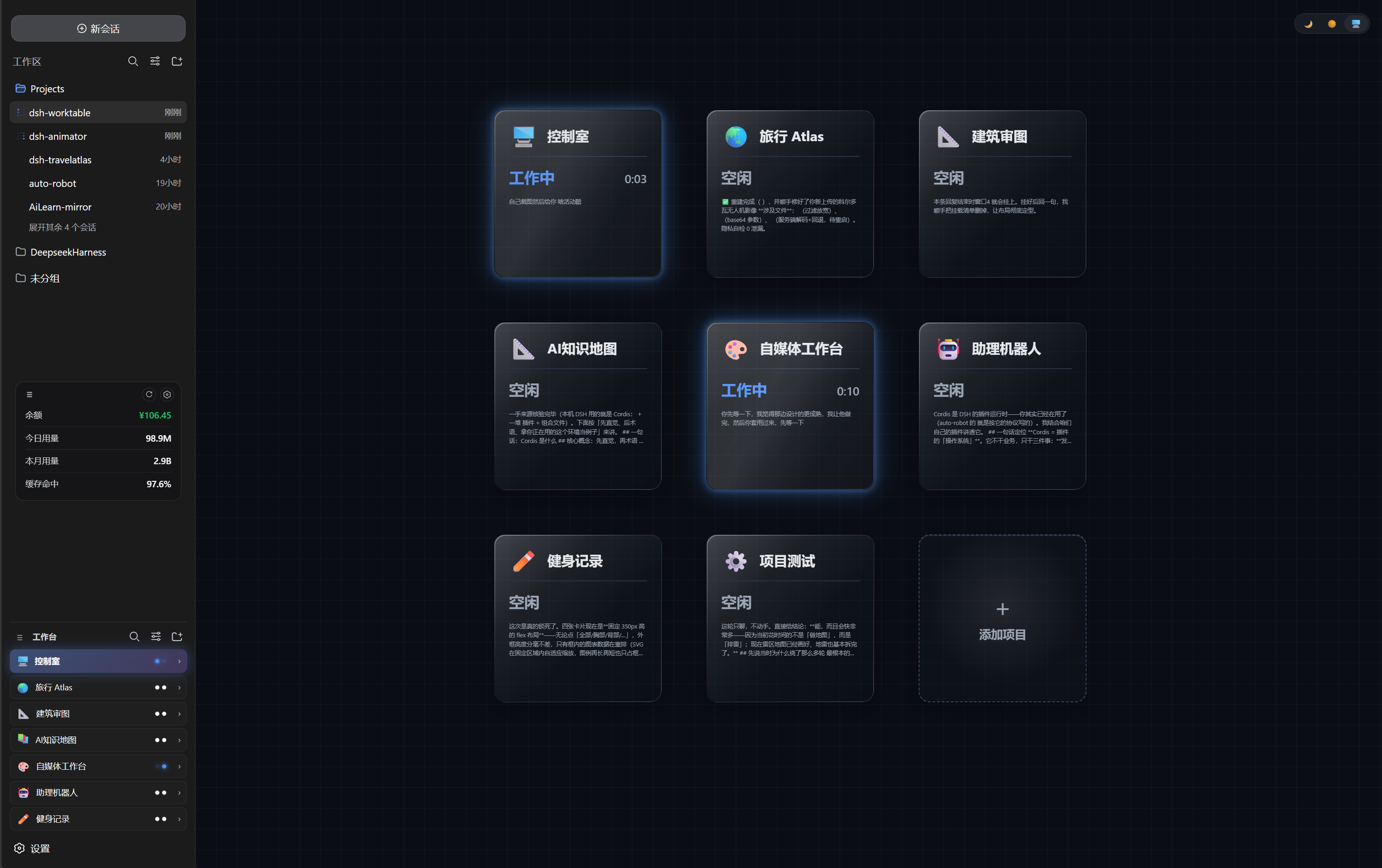
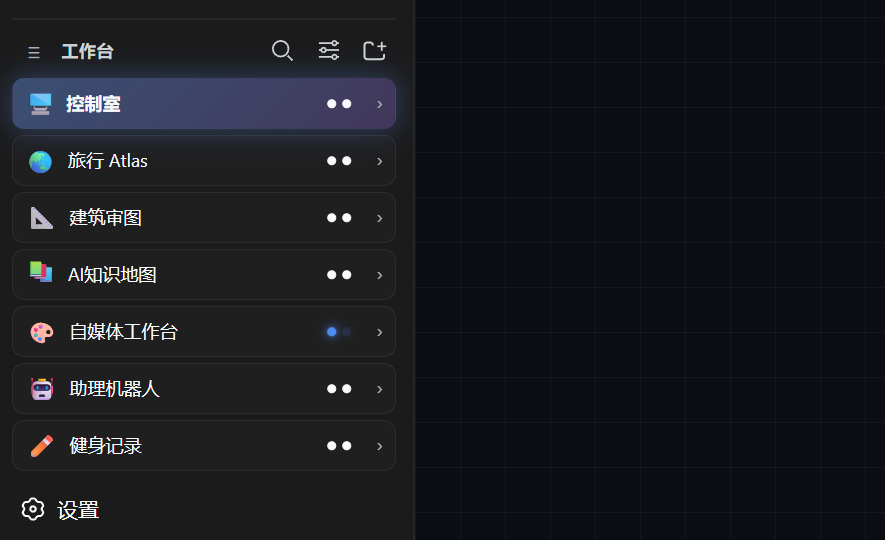
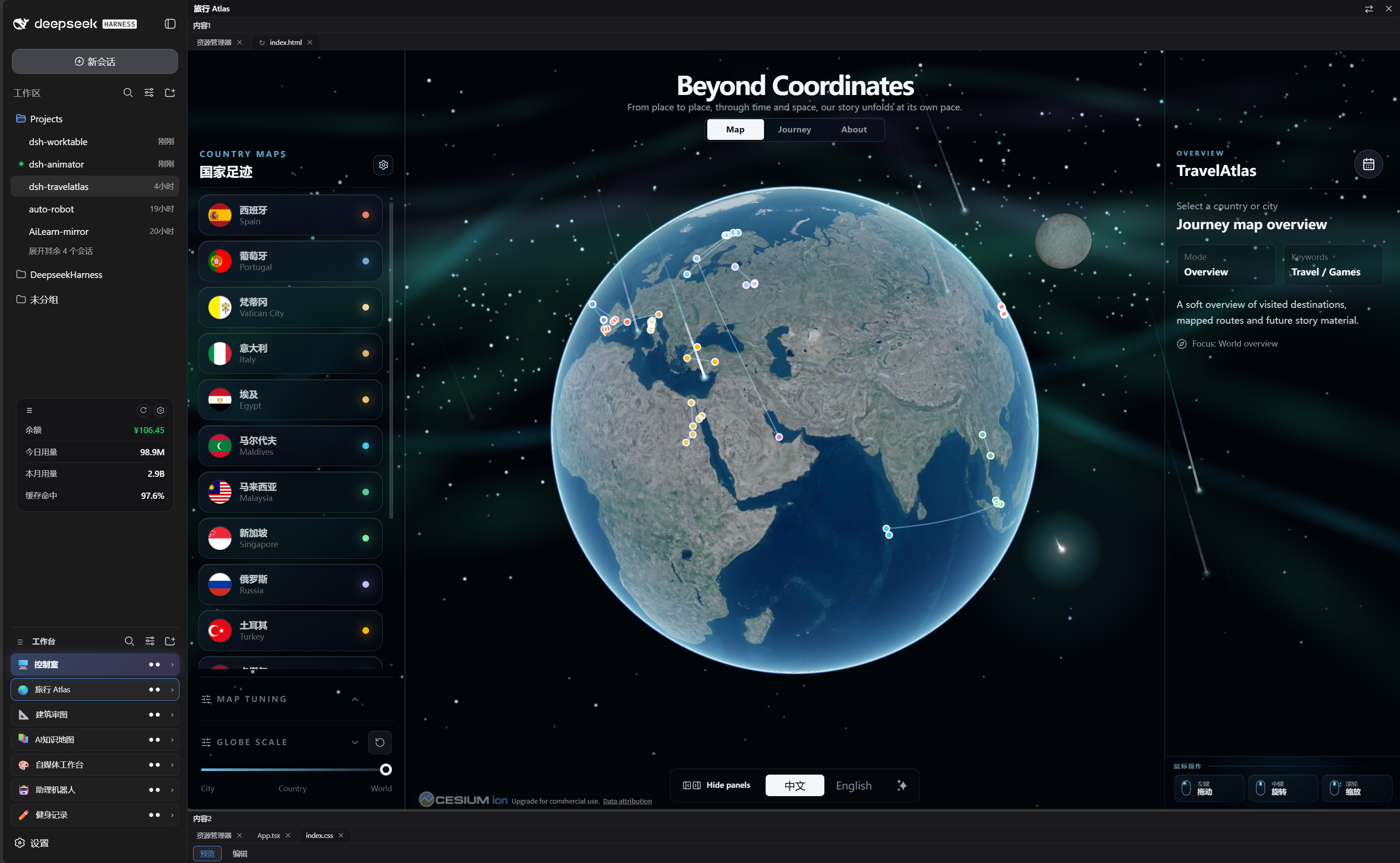
dsh-worktable 🖥️ English · 简体中文 An agent-project workbench for DeepSeek Harness** — a sidebar app drawer that turns every project into dockable windows, plus a built-in control room that watches them all in real time. 📸 Screenshots | | | **🖥️ Control room** — the built-in default project: a live card grid watching every project (working / needs you / done) with glassmorphism cards on a blueprint grid | | **🧩 Worktable sidebar** — the app drawer: projects, shortcuts and the pinned control-room entry | | **🪟 Our projects** — every project opens as a dockable split workspace (resident apps like Travel Atlas included) | ✨ Feature tour 🧩 Sidebar app drawer Collects your self-hosted projects (and resident plugins like dsh-travelatlas) in one place Rename / icon / reorder / hide each project; per-project folder; **project ↔ conversation binding** — opening a project switches the chat pane to its bound conversation Collapse the sidebar and every project becomes a tappable square tile (icon only) 🪟 Dockable split workspace Declarative layout presets (left column / top row / main grid + right chat pane) Draggable dividers, per-pane tabs, per-layout width persistence Built-in panes: **file explorer, terminal, browser, animation site, custom window** Custom window: send a requirement to a new or existing conversation; the agent builds it and the result auto-mounts into the window (locked) 🖥️ Control room (built-in default project) A pinned, undeletable first project — bind one management conversation on first open A configurable card grid mirrors visible projects: working / needs you / done with available runtime and a cleaned message preview Event-driven host snapshot mirroring; status monitoring does not call a model Glassmorphism cards, dark / light / system theme, neon status g
摘自项目公开 README,可能随上游仓库更新。安装方法
建议先在测试 Profile 中安装,并检查权限、安装脚本和依赖。
npx -p @deepseek-ai/dsh dsh plugin --profile web add github:Aisland-SJL/dsh-worktable
使用前检查
- 确认项目符合 DSH bundle 规范,而不只是相关仓库。
- 阅读许可证和安装脚本,检查网络、文件及执行权限。
- 备份配置,并确保插件能够安全卸载或回滚。