

插件介绍
Cost tracking for DeepSeek Harness: session and model costs, token usage, budgets, provider balances, and coding-plan quotas. Bilingual English/Chinese UI.
项目详情摘要
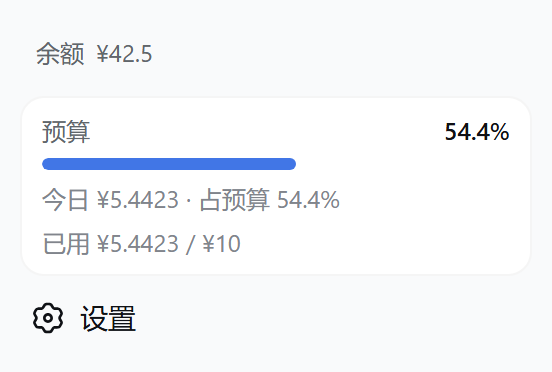
dsh-cost-meter English** | 简体中文 Session cost tracking plugin for the DeepSeek Harness web GUI (bilingual UI)** Per-conversation cost · daily totals · OpenCode Go subscription quota display · budget with usage percentage · official account balance · custom provider balance · balance progress bar · history · peak/off-peak pricing hours display (peak hours UTC 01:00–04:00, 06:00–10:00; weekends and Chinese public holidays are off-peak all day, with separate labels) · pre-switch popup & system-notification alerts for peak/off-peak changes (position / lead time / alert type configurable) · one-click price sync from the official docs · Codex-style token usage heat grid · multi-vendor model pricing (built-in 170+ model-ID catalog with auto-matching) · mainstream Coding Plan quota queries & display (Anthropic / Z.ai / MiniMax / Kimi / OpenRouter / SiliconFlow / CommandCode / SCNet / Volcano Ark / Qwen / Xiaomi MiMo) plan/API dual-track billing (subscription quota vs pay-as-you-go money separated, per-1% & full-window token/equivalent-cost estimates with daily/weekly/monthly curves) · · quota strip above the input box (budget / Go / coding-plan usage in one row, toggleable) v1.8.17** adds OpenRouter prices to the model picker: hover a model to see input, output and cache rates, context length and the last update time in DSH's native tooltip. Prices refresh every minute while the menu is open and visible, without an API key or model usage charges. The searchable price browser remains in Settings → Cost → Prices. See the guide. Desktop users: follow the Desktop installation instructions for the application's own CLI and `desktop` Profile. If startup reports **Ledger is busy** and the cost widgets are missing, see ledger lock recovery. Feature overview Feature | Location | Descript
摘自项目公开 README,可能随上游仓库更新。安装方法
建议先在测试 Profile 中安装,并检查权限、安装脚本和依赖。
npx -p @deepseek-ai/dsh dsh plugin --profile web add github:Han-1413141/dsh-cost-meter
使用前检查
- 确认项目符合 DSH bundle 规范,而不只是相关仓库。
- 阅读许可证和安装脚本,检查网络、文件及执行权限。
- 备份配置,并确保插件能够安全卸载或回滚。