

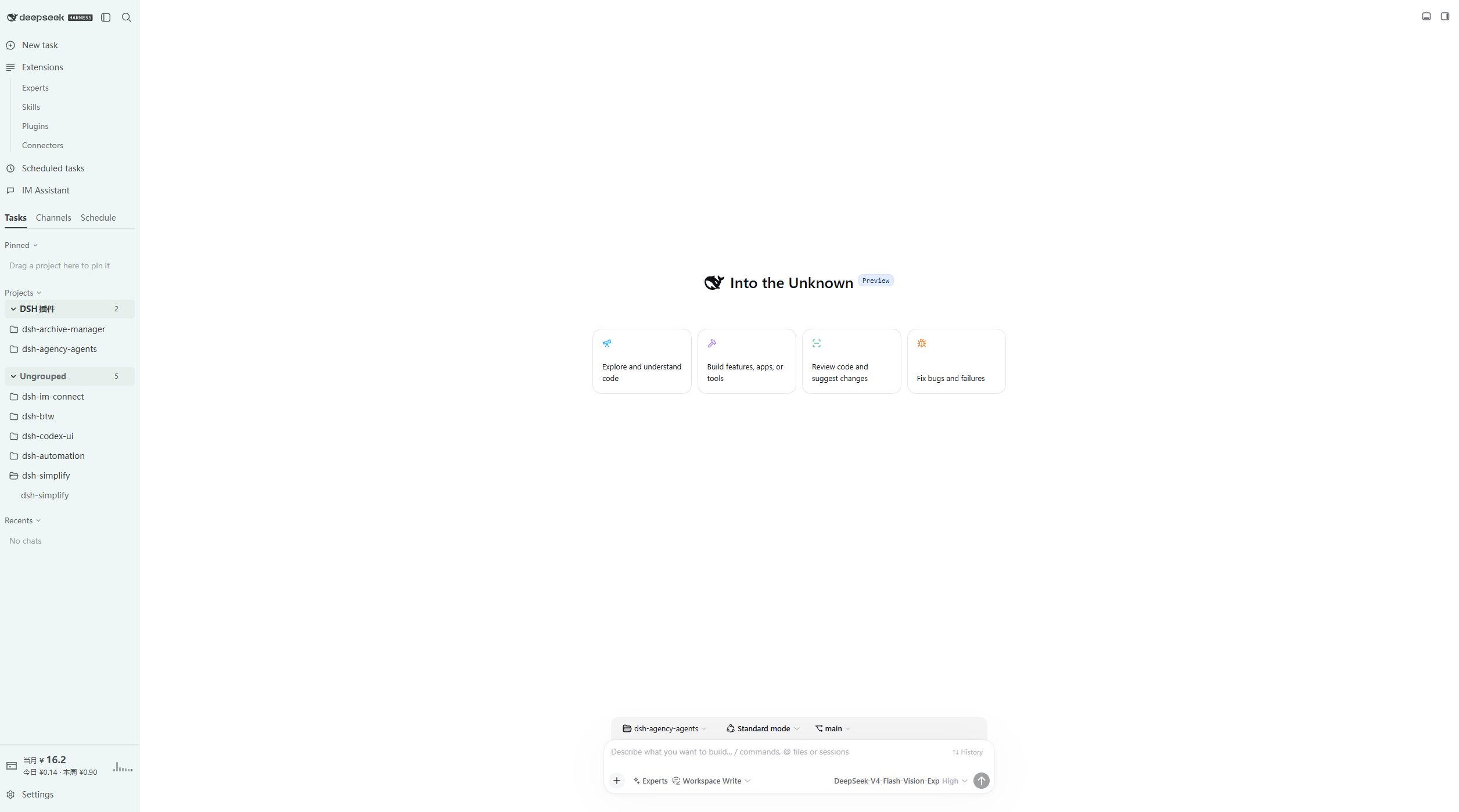
插件介绍
DSH Codex UI — 为 DeepSeek Harness Web 提供 Codex 风格侧栏、工作区会话树、全局搜索和轮次导航 · A Codex-style sidebar, workspace session tree, global search, and turn navigation for DSH Web
项目详情摘要
DSH Codex UI Organize projects, find conversations, and revisit long chats more easily in DSH Web** 简体中文 · Changelog · Apache-2.0 DSH Codex UI is a community-maintained interface plugin for DeepSeek Harness (DSH), not an official DeepSeek AI product. Working across several projects and conversations in DSH Web? DSH Codex UI helps you organize the sidebar, find tasks quickly, and jump back to earlier questions in long chats. It offers a Codex-style interface with light and dark themes. Host compatibility This working tree explicitly declares DSH `0.1.2-rc.1`, `0.1.5-rc.1`, `0.1.5-rc.2`, `0.1.5-rc.3`, `0.1.7-rc.1`, `0.1.7-rc.2`, `0.2.0-rc.1`, and `0.2.0-rc.2`. Development dependencies are pinned to `0.2.0-rc.2`. No code references `@deepseek-ai/dsh-client-runtime`: it is not a peer, not a client inject, and no longer a development dependency now that the settings-lifecycle spec mounts the production `SlotRegistry` from the official `@deepseek-ai/dsh-client-ui-renderer/client` bundle. Isolated host checks cover `0.1.2-rc.1`, `0.1.5-rc.1`, `0.1.5-rc.2`, `0.1.5-rc.3`, `0.1.7-rc.1`, `0.1.7-rc.2`, `0.2.0-rc.1`, and `0.2.0-rc.2`. What you can do **Organize projects and conversations**: expand or collapse projects, drag to reorder, pin frequently used projects, and see unread and running indicators. **Find things quickly**: search for conversations, settings, and quick actions from the header. **Manage everyday tasks**: rename, archive, or fork conversations, and open project folders from their menus. **Revisit long chats**: select a turn marker to jump directly to the corresponding question. **Reuse earlier input**: press Up/Down in an empty composer to recall text submitted in the current workspace. **Add features as needed**: check companion plugins in **Settings → About** an
摘自项目公开 README,可能随上游仓库更新。安装方法
建议先在测试 Profile 中安装,并检查权限、安装脚本和依赖。
npx -p @deepseek-ai/dsh dsh plugin --profile web add github:MichengAI/dsh-codex-ui
使用前检查
- 确认项目符合 DSH bundle 规范,而不只是相关仓库。
- 阅读许可证和安装脚本,检查网络、文件及执行权限。
- 备份配置,并确保插件能够安全卸载或回滚。