

插件介绍
Safe automatic permissions for DeepSeek Harness.
项目详情摘要
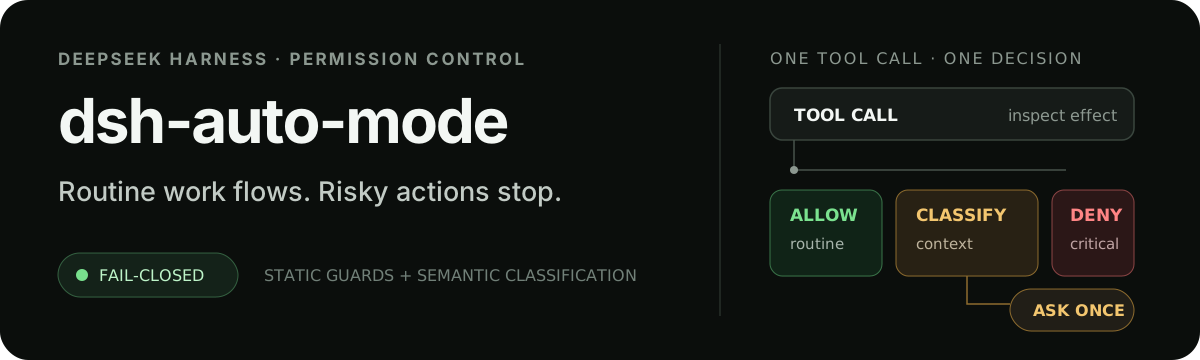
[!WARNING] **Maintenance ended on 2026-09-29.** This repository is being archived. DeepSeek Harness now includes built-in Auto review; this plugin will receive no further fixes or host compatibility updates. Existing releases remain available for historical use. **Migration:** in a working session, select a built-in manual permission mode (for example, Workspace write) before disabling or uninstalling `@nanmicoder/dsh-auto-mode` in the application's plugin manager. If live reload fails, fully quit and reopen Harness. Start a new session and select the built-in mode you intend to use. Preserve old sessions; do not rewrite their permission identities or delete their logs. **The policies are not equivalent:** this plugin defaults to `workspace-write` sandboxing. In the audited Harness 0.2.0-rc.2 implementation, built-in Auto review uses `danger-full-access`. Review the current official permission description before enabling it. See the official Harness source. The installation and compatibility details below are historical, not ongoing support promises. English · 简体中文 Sandbox Auto `dsh-auto-mode` keeps routine work inside Harness's `workspace-write` sandbox and reviews semantic risks or exact one-shot requests for wider access. The plugin's **Sandbox Auto** mode uses the independent key `sandbox-auto`; it does not replace the official, unsandboxed **Auto review** mode. [!IMPORTANT] Plugin **0.2.0** is the stable npm `latest` release for the official Harness **0.2.0-rc.2** release (`dsh-v0.2.0-rc.2`, commit `639ed015397290b3745d163aafe02ffee4aa3f84`). Plugin and host version numbers are independent. Harness itself still labels this release RC; install the exact supported host rather than assuming its npm `latest` points to it. Harness host | Plugin support | --- | --- | `0.
摘自项目公开 README,可能随上游仓库更新。安装方法
建议先在测试 Profile 中安装,并检查权限、安装脚本和依赖。
npx -p @deepseek-ai/dsh dsh plugin --profile web add github:NanmiCoder/dsh-auto-mode
使用前检查
- 确认项目符合 DSH bundle 规范,而不只是相关仓库。
- 阅读许可证和安装脚本,检查网络、文件及执行权限。
- 备份配置,并确保插件能够安全卸载或回滚。