
插件介绍
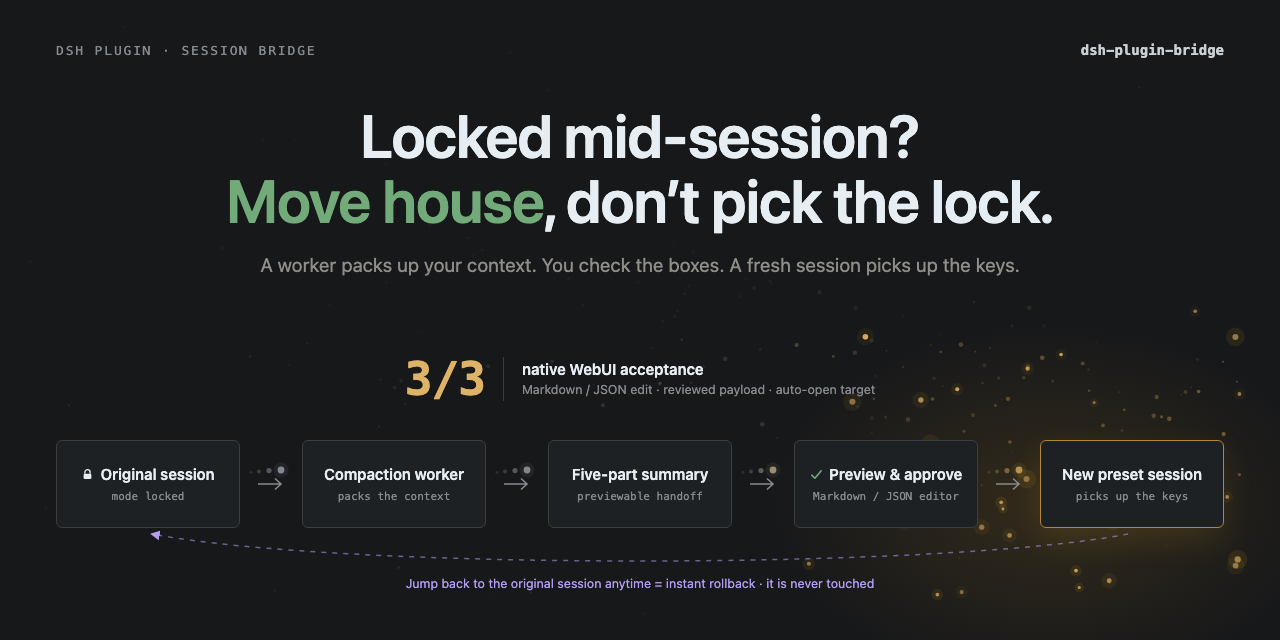
DeepSeek Harness plugin for previewable cross-preset session migration. Fixed-schema handoffs preserve state, source-model intent, and unresolved images; the original session stays untouched.
项目详情摘要
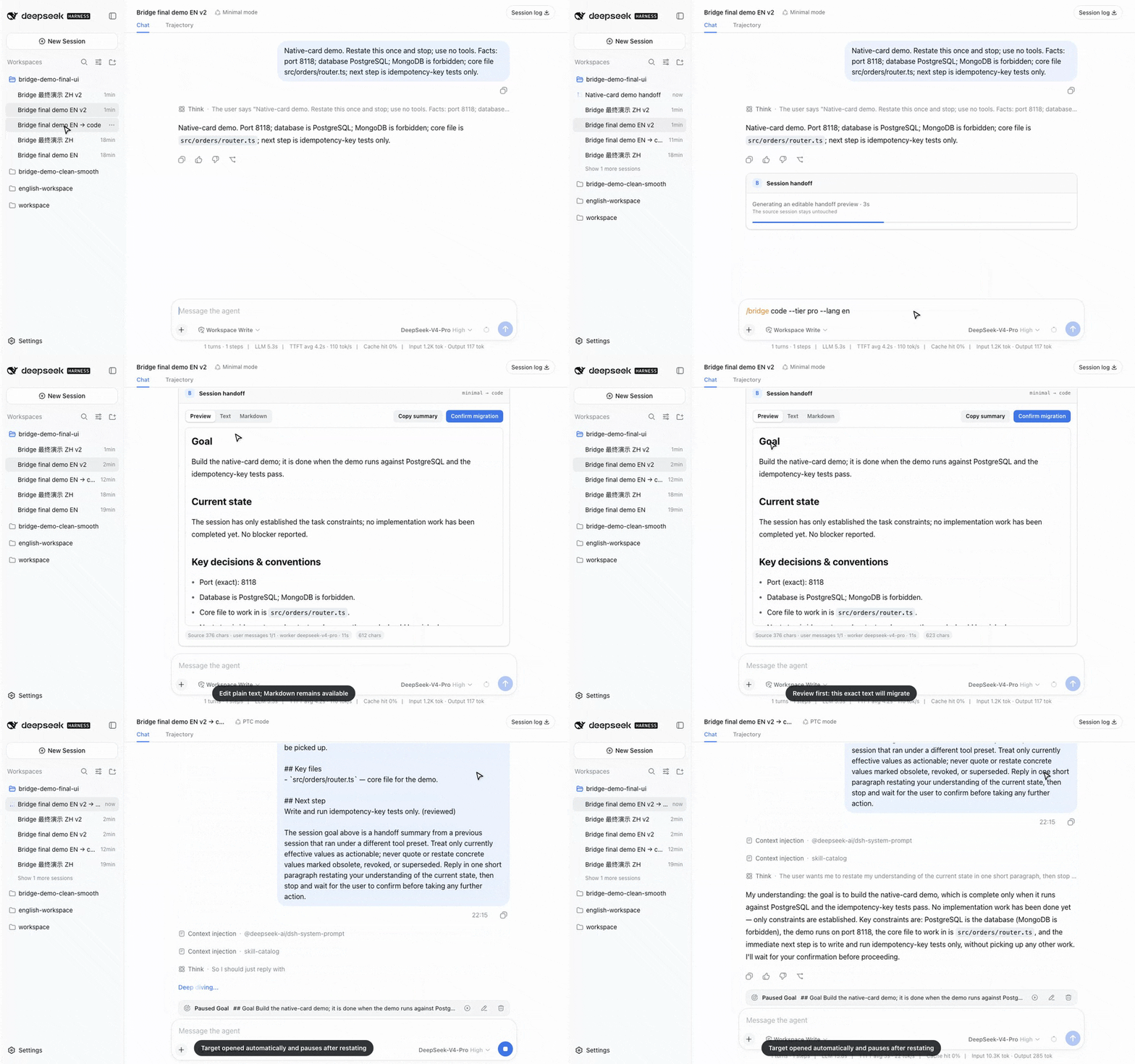
dsh-plugin-bridge English | 中文 Halfway through a task and need another tool preset? Switching the produced session in place would leave tool history that belongs to the old assembly. Bridge previews a bounded five-part handoff, opens a clean target, and leaves the original session untouched. Quick start · Why Bridge · Evidence · Decisions · Compatibility Quick start Install from npm: On **DSH 0.1.5-rc.2**, restart `dsh web` after adding or removing the plugin. On **DSH 0.1.6-alpha.2**, a first install from the WebUI Plugins page applies live; CLI install and upgrades may still need one restart. **DSH 0.1.7-alpha.1** was tested with CLI installation, live disable/enable, and removal followed by a restart; restart-free installation or upgrades were not tested. Pinned GitHub fallback: Then type in the official WebUI: On DSH rc.7 and later, the official WebUI renders `/bridge` as a native card. **Text** exposes the fixed five sections as ordinary fields and flat bullet or ordered-list rows while preserving their Markdown markers; **Markdown** preserves full source freedom; **Preview** renders Markdown or a complete JSON tree. Long content scrolls inside the card. **Confirm migration** opens the created target session. Bridge 0.3.10 adds room to keep confirmation reachable above the fixed composer at the tested narrow widths. UIs that implement the official `conversation.chat.commandview` slot receive the same card automatically. Other custom UIs retain the complete server result, summary-file workflow, and target title/session-ID fallback; UI authors can reuse the framework-free `dsh-plugin-bridge/client-contract` export instead of reimplementing the wire. On an older or non-slot client, correct the printed summary file and run: Preview edits are temporary until migration i
摘自项目公开 README,可能随上游仓库更新。安装方法
建议先在测试 Profile 中安装,并检查权限、安装脚本和依赖。
npx -p @deepseek-ai/dsh dsh plugin --profile web add github:Totoro-qaq/dsh-plugin-bridge
使用前检查
- 确认项目符合 DSH bundle 规范,而不只是相关仓库。
- 阅读许可证和安装脚本,检查网络、文件及执行权限。
- 备份配置,并确保插件能够安全卸载或回滚。