插件介绍
Use ChatGPT (Codex), Claude, and Grok (X Premium) subscriptions as DeepSeek Harness LLM providers — OAuth login in the web UI, no API keys
项目详情摘要
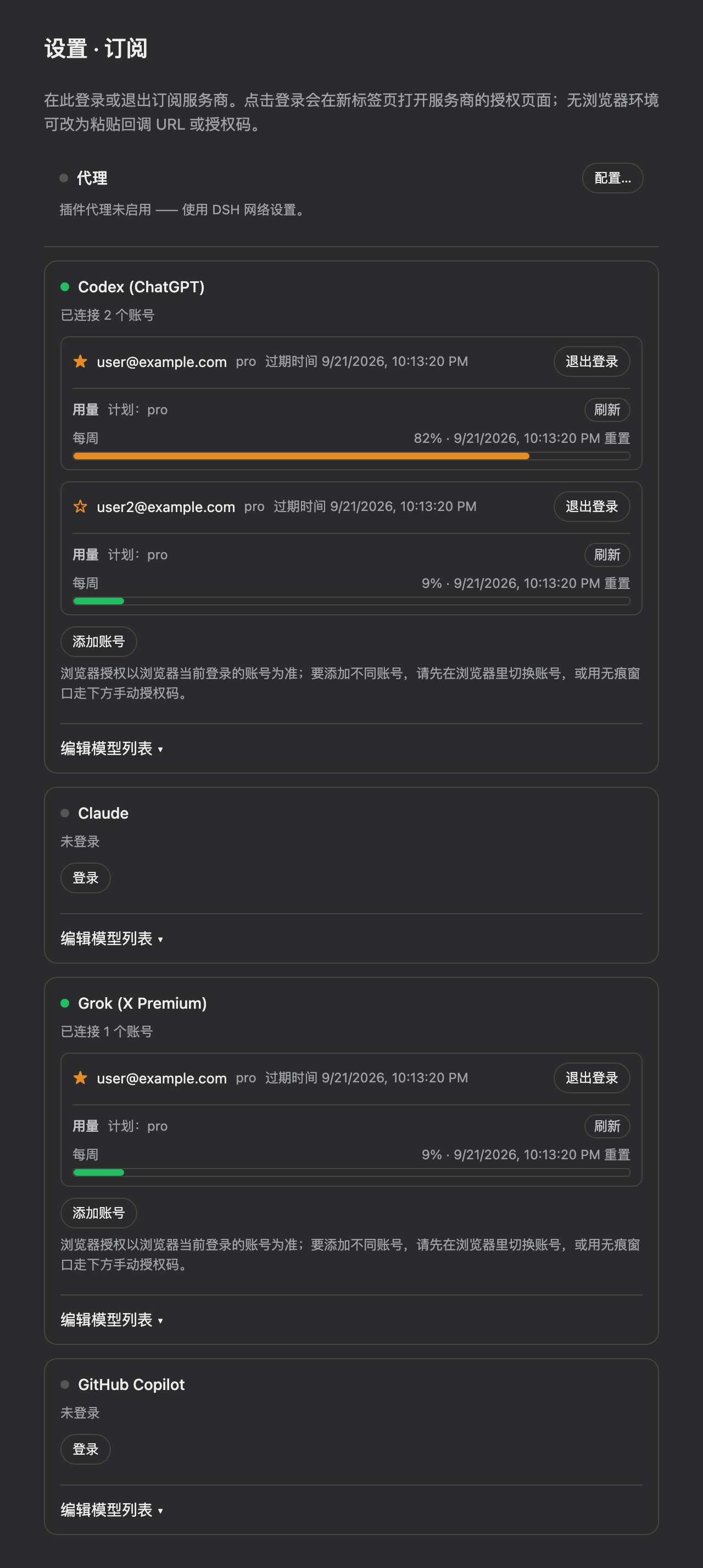
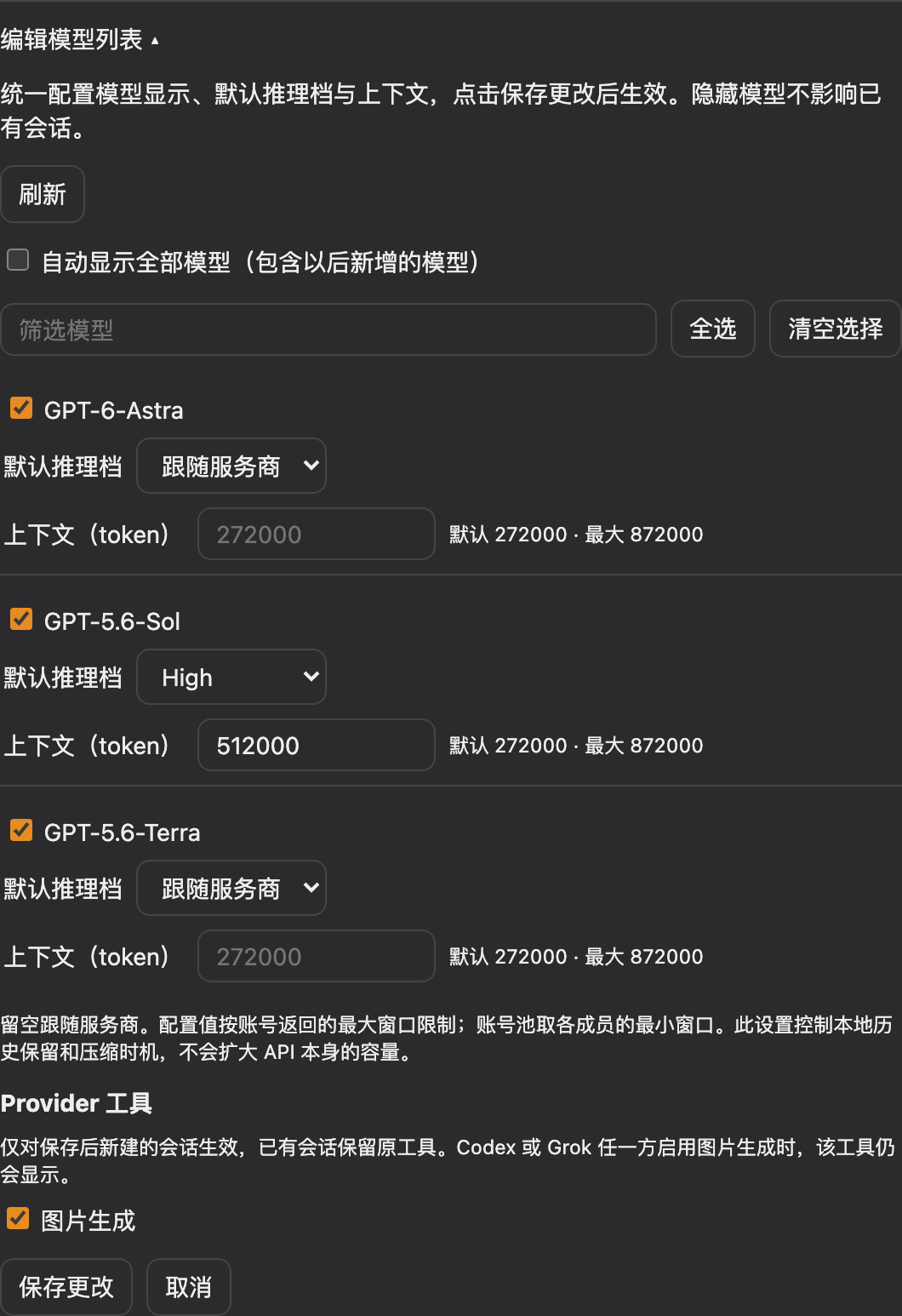
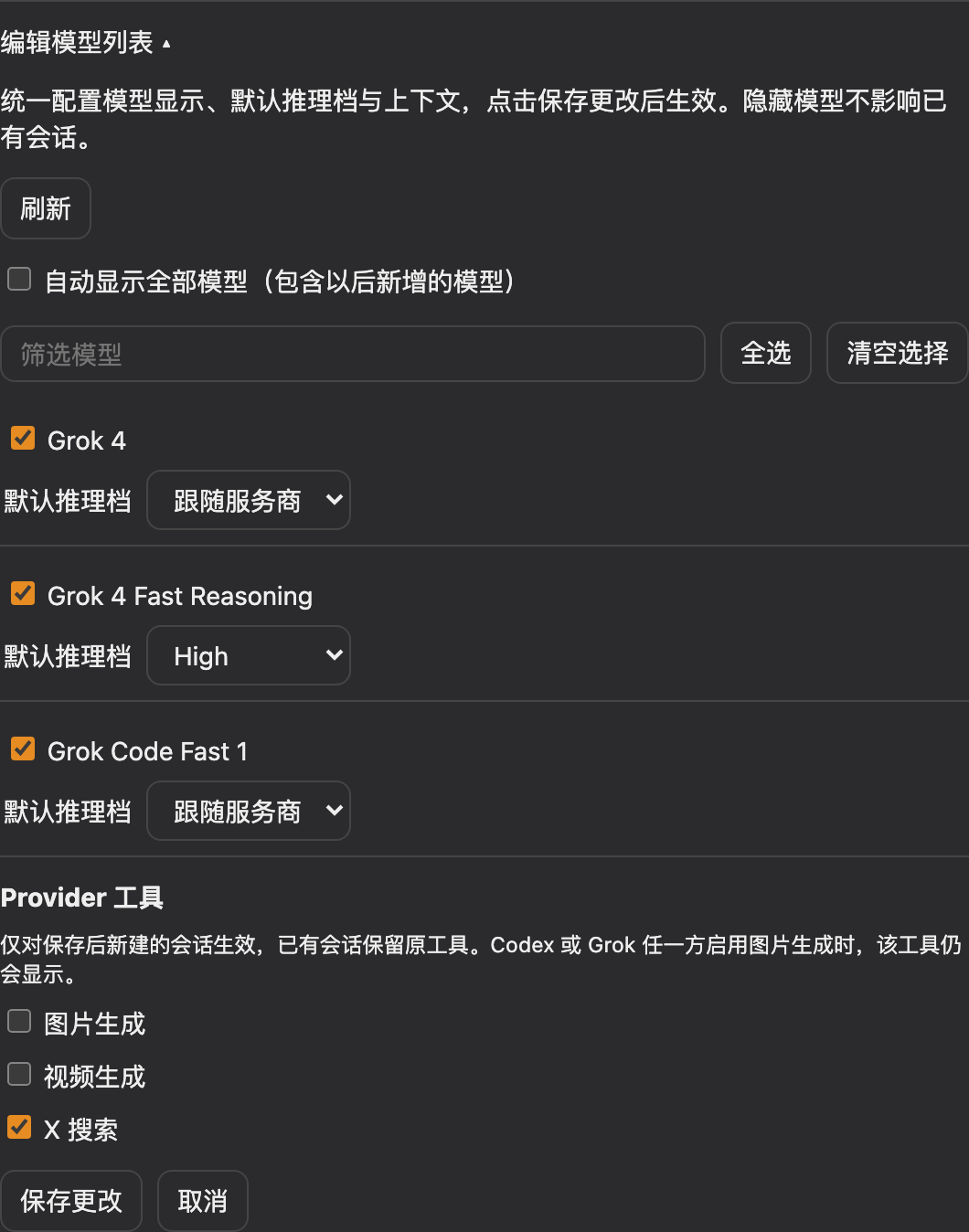
dsh-plugin-subscriptions English | 中文 Use your **ChatGPT (Codex)**, **Claude**, **Grok (X Premium)**, **GitHub Copilot**, and **Google Antigravity** subscriptions as LLM providers in DeepSeek Harness — no API keys. Codex, Grok, and Antigravity log in via OAuth in the dsh web UI (Settings → Subscriptions), while Copilot uses the GitHub OAuth device flow; Claude imports credentials from an existing Claude Code session when there is one (macOS Keychain or `~/.claude/.credentials.json`) and otherwise falls back to the same browser OAuth flow, so the Claude Code CLI is not required. Tokens live at `~/.dsh/plugins/subscriptions/auth.json` (mode 0600) and refresh automatically. Subscription and model display names Open **Settings → Subscriptions → Manage** to set a subscription display name, or edit a model's display name under **Edit model list**. Both share the existing Save/Cancel actions; clearing a name or choosing Reset to default and saving restores the original name. Names are single-line text of up to 80 characters, stored per provider and model ID in `provider-settings.json`, and survive restarts and catalog refreshes. They only change presentation: provider IDs, model IDs, reasoning settings, and account routing remain unchanged. Existing account aliases continue to work independently. Subscription display names also label provider groups in the native model picker. Saving a cleared name restores the provider's default group title. Demo Settings → **Subscriptions**: per-provider login/logout, no API keys. Claude imports credentials from Claude Code when available and otherwise uses OAuth, as Codex and Grok always do (settings screenshots use demo accounts and catalog data): Configure visibility, default reasoning effort, and context together in **Edit model list**,
摘自项目公开 README,可能随上游仓库更新。安装方法
建议先在测试 Profile 中安装,并检查权限、安装脚本和依赖。
npx -p @deepseek-ai/dsh dsh plugin --profile web add github:V1ki/dsh-plugin-subscriptions
使用前检查
- 确认项目符合 DSH bundle 规范,而不只是相关仓库。
- 阅读许可证和安装脚本,检查网络、文件及执行权限。
- 备份配置,并确保插件能够安全卸载或回滚。