
插件介绍
DeepSeek Harness plugin for Android — build, run, and interact with a live emulator or USB device stream inside a conversation, driven entirely through adb.
项目详情摘要
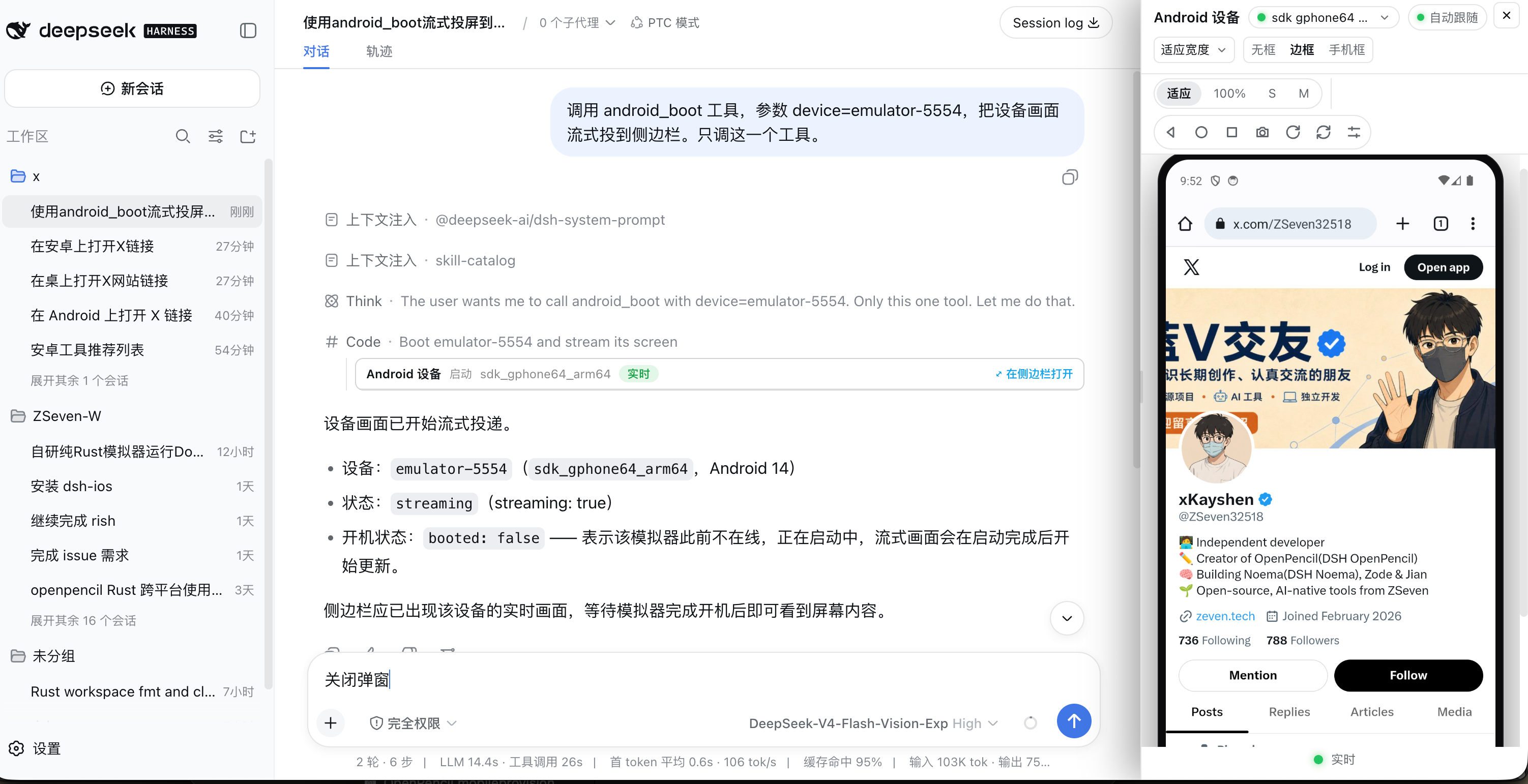
DSH Android A live Android device inside a DeepSeek Harness conversation — emulator or USB phone, driven entirely through adb. 20 agent tools • in-process live stream, no external helper • three-button navigation panel • Gradle build & run • Vision OCR npm: @zseven-w/dsh-android · Current plugin release: 0.1.0-rc.12 · Tested with DSH 0.1.5-rc.1 English · 简体中文 · 繁體中文 · 日本語 · 한국어 · Français · Español · Deutsch · Português · Русский · हिन्दी · Türkçe · ไทย · Tiếng Việt · Bahasa Indonesia An Android device streamed and controlled from inside a DSH conversation — the agent's tool call in the center, the live device panel on the right Why DSH Android DSH Android gives the agent a real Android device inside the conversation — and gives you the pixels. The agent can start a stream on an emulator or a USB-connected phone, build and install a Gradle project, drive the UI by `resource-id`/text or by OCR, read logcat, and inspect processes and memory, while a live stream of the device renders in a persistent sidebar panel where you can tap, drag, rotate, and press Back / Home / Recents directly on the video. No image blocks and no screen-recording files: visual bytes reach the UI only through signed, expiring URLs served by the DSH webserver. There is exactly one code path. `adb devices -l` reports a **serial**, and that serial is a device's only identity — `emulator-5554`, a USB serial, or an `ip:port` target all behave identically. The plugin is bound to no emulator product (AVD, Genymotion, WSA, a cloud device farm), and there is no simulator/real-device split to reason about. | | --- | --- | 📱 **Live device in the conversation** | A `multipart/
摘自项目公开 README,可能随上游仓库更新。安装方法
建议先在测试 Profile 中安装,并检查权限、安装脚本和依赖。
npx -p @deepseek-ai/dsh dsh plugin --profile web add github:ZSeven-W/dsh-android
使用前检查
- 确认项目符合 DSH bundle 规范,而不只是相关仓库。
- 阅读许可证和安装脚本,检查网络、文件及执行权限。
- 备份配置,并确保插件能够安全卸载或回滚。