
插件介绍
DeepSeek Harness (DSH) plugin: a live iOS Simulator — and a USB-connected iPhone — inside the conversation. 22 agent tools for booting, building, driving the UI by accessibility identity, OCR text or list rows, plus a streaming sidebar panel you can tap and drag on.
项目详情摘要
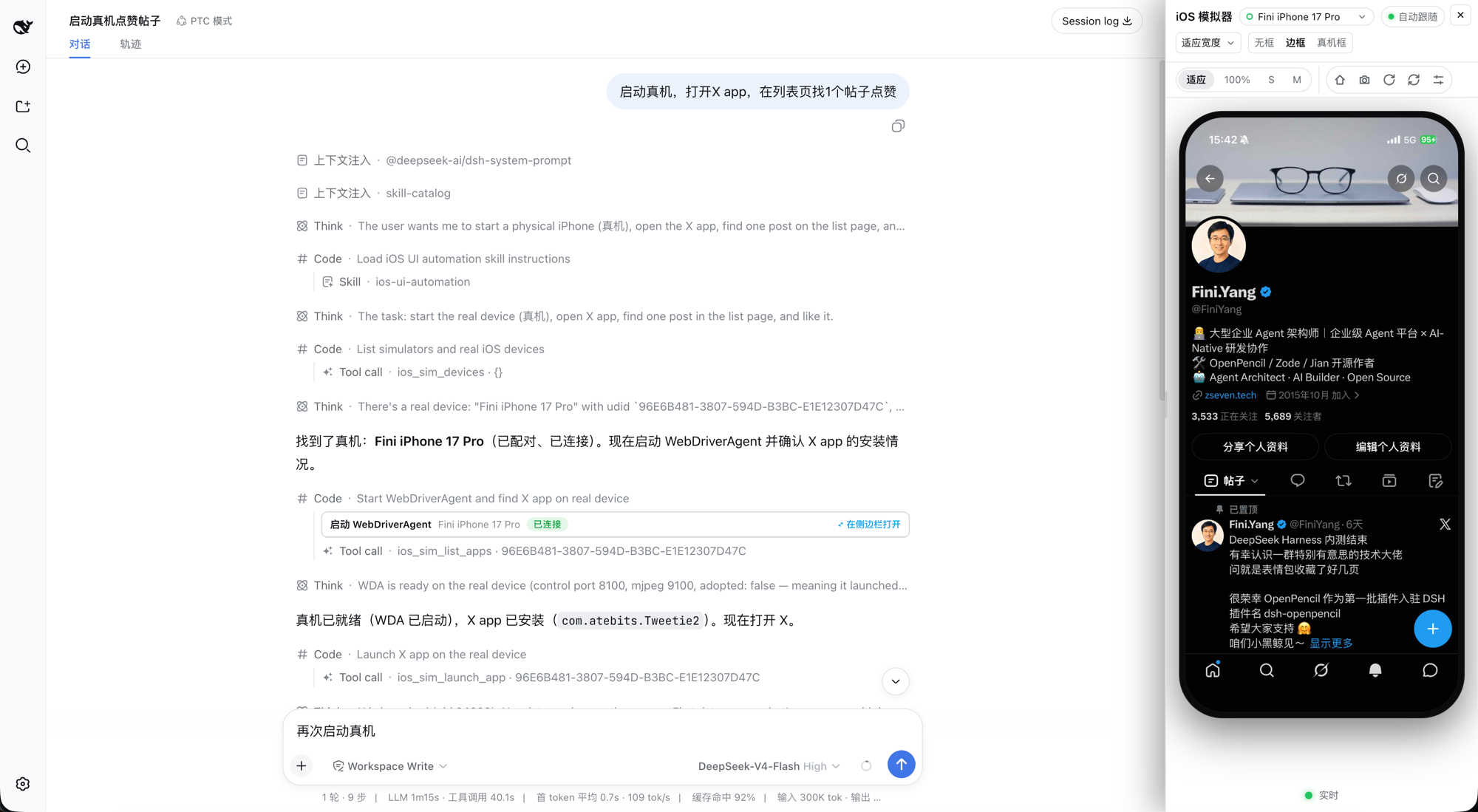
DSH iOS Simulator A live, interactive iOS Simulator inside a DeepSeek Harness conversation — plus your real iPhone over USB. 22 agent tools • live MJPEG sidebar panel • simulator & real iPhone over USB • list/feed row actions • SwiftUI preview hot reload npm: @zseven-w/dsh-ios · Current plugin release: 0.1.0-rc.10 · Tested with DSH 0.1.5-rc.1 English · 简体中文 · 繁體中文 · 日本語 · 한국어 · Français · Español · Deutsch · Português · Русский · हिन्दी · Türkçe · ไทย · Tiếng Việt · Bahasa Indonesia npm: @zseven-w/dsh-ios · Current plugin release: 0.1.0-rc.10 · Tested with DSH 0.1.5-rc.1 A real iPhone driven from inside a DSH conversation — the agent's tool calls on the left, the live device panel on the right Why DSH iOS Simulator DSH iOS Simulator gives the agent a real iOS Simulator inside the conversation — and gives you the pixels. The agent can boot a device, build and run an Xcode project or Swift package, drive the UI by accessibility identity or by OCR text, read unified logs, and inspect processes, backtraces, and leaks, while a live stream of the device renders in a persistent sidebar panel where you can tap, drag, rotate, and press Home directly on the video. The same verbs also work on a real iPhone connected over USB: the plugin builds and launches WebDriverAgent on the phone, tunnels its control and screen ports over loopback, and streams the device into the same panel, cards, and tools. No image blocks, no screen-recording files: visual bytes reach the UI only through signed, expiring URLs served by the DSH webserver. | | --- | --- | 🖥️ **Live simulator in the conversation** | A serve-sim MJPEG stream of the booted device,
摘自项目公开 README,可能随上游仓库更新。安装方法
建议先在测试 Profile 中安装,并检查权限、安装脚本和依赖。
npx -p @deepseek-ai/dsh dsh plugin --profile web add github:ZSeven-W/dsh-ios
使用前检查
- 确认项目符合 DSH bundle 规范,而不只是相关仓库。
- 阅读许可证和安装脚本,检查网络、文件及执行权限。
- 备份配置,并确保插件能够安全卸载或回滚。