

插件介绍
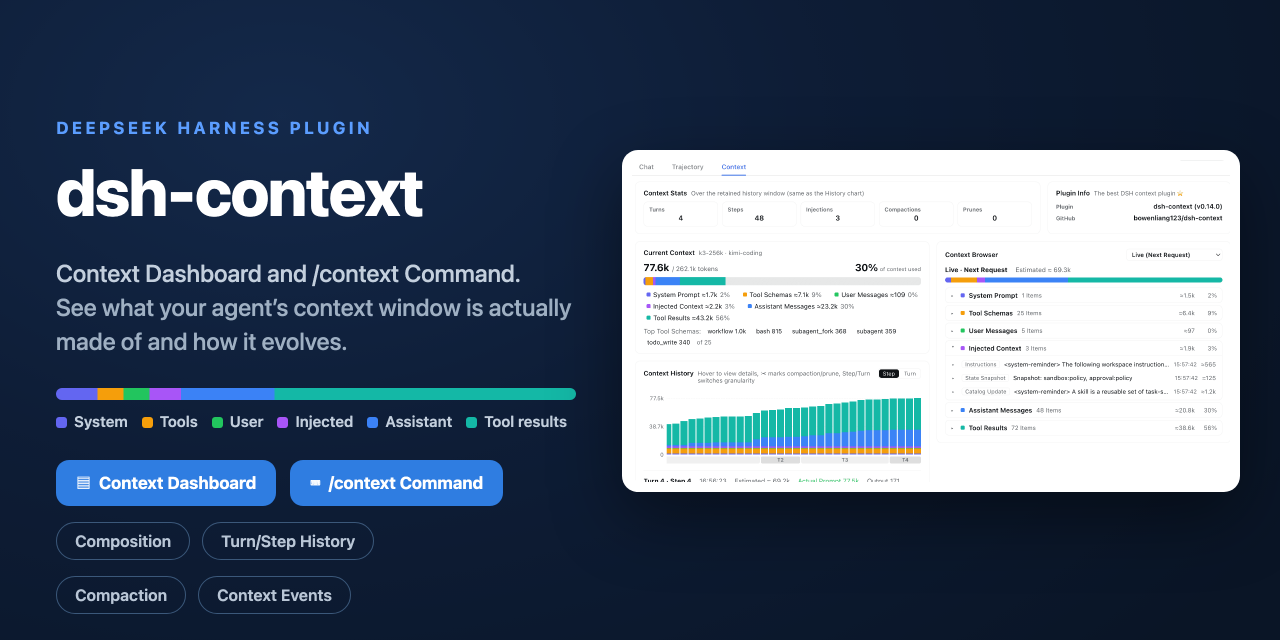
The best DeepSeek Harness plugin for context insight and management, with context dashboard / browser / sidebar and context command, for context statistics, composition, breakdown, evolution details, understanding how the context is made of, and how it evolves. 一站式 DeepSeek Harness 上下文可视化插件,Context 面板及浏览器和侧边栏与 Context 命令,透视上下文组成、演进、压缩、剪枝等事件与动作。
项目详情摘要
dsh-context The best DeepSeek Harness plugin for Agent's context insights and management.** Recommended and starred by DeepSeek Harness staff @tianyicui and @turtle1999 — see this post on X. `dsh-context` provides full context lifecycle management features. **Context Insights page** — the cross-session overview as a first-level sidebar panel (beside Plugins and Automation tasks): KPI band with a 7-day token/cost usage chart, activity heatmap, aggregate composition ring, and filterable session cards that jump straight into any session. **Context tab** — an UI context dashboard for DeepSeek Harness's context stats, composition, trend, events, and messages. **Context panel** — the same dashboard as a right-sidebar tab: pick **Context** on the sidebar's guide page and the panel opens beside the chat. **`/context` command** — the slash command shows the context model for current context composition and recent context evolution. Install / Update Install on DeekSeek Harness web or desktop Fill `dsh-context` in the **Add plugin** wizard's search box, and click **Install**: Install with `dsh` cli Install `dsh-context` plugin from DeepSeek Harness: Or update the `dsh-context` plugin: Then start the web UI with `dsh web`. No build step, no restart. Use it Four surfaces, one story — what your agent is carrying, how it got there, and what it did with it: Where | What you get | --- | --- | **Context Insights page** | Every session at a glance: usage, cost, cache hit, daily activity, and per-session context profiles — filtered by range, day, group, or search, one click to jump in. | **Context tab** | The full dashboard: stats, composition, per-request trend, events, file activity, and the agent network — in every session. | **`/context` command** | A centered modal with the same compo
摘自项目公开 README,可能随上游仓库更新。安装方法
建议先在测试 Profile 中安装,并检查权限、安装脚本和依赖。
npx -p @deepseek-ai/dsh dsh plugin --profile web add github:bowenliang123/dsh-context
使用前检查
- 确认项目符合 DSH bundle 规范,而不只是相关仓库。
- 阅读许可证和安装脚本,检查网络、文件及执行权限。
- 备份配置,并确保插件能够安全卸载或回滚。