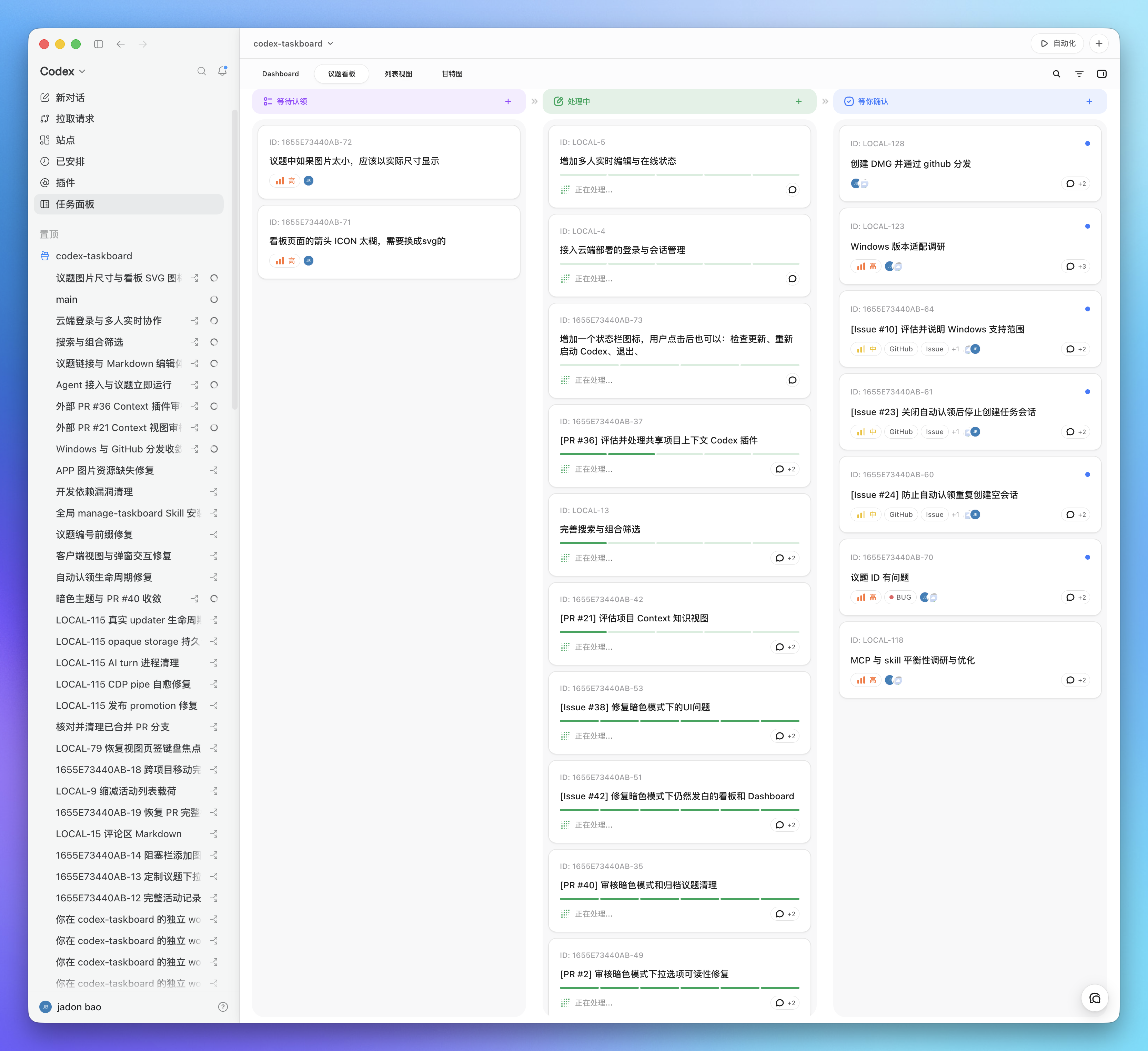
插件介绍
现代化可灵活嵌入的任务面板,支持 Codex、DeepSeek Harness
项目详情摘要
English | 简体中文 Codex Taskboard A local-first issue board that runs in a browser and can be embedded in Codex through the standalone CDP launcher or its injection script. The same HTTP API powers the React UI and the `taskctl` CLI used by the bundled Codex Skill. Requirements Node.js 22.5 or newer macOS App and DMG builds: Xcode Command Line Tools and Rust 1.88 or newer with the `aarch64-apple-darwin` and `x86_64-apple-darwin` targets. `npm install` installs the Tauri CLI used by this project. Windows NSIS builds: the Microsoft Store Codex App, Rust 1.88 or newer, and Visual Studio Build Tools with the C++ workload and Windows SDK. Run locally Open . The SQLite database is stored at `.data/taskboard.sqlite`. For development with live frontend reload: The Vite UI runs at and proxies API requests to the local service. Use the CLI Run it from the project: Use `npm link` if you want `taskctl` on your shell path. Set `CODEX_TASKBOARD_URL` to point the CLI at another local or LAN service. Cloud deployments are configured through the **loopback companion** (device-local loopback service for auth and path mapping—not a chat persona) with `taskctl cloud login`. Install the Codex Skill Copy or symlink `skills/manage-taskboard` into the Codex skills directory, then start a new Codex task: The desktop app keeps this same directory synchronized with its bundled Skill. The Skill teaches Codex to inspect an issue, move it to `in_progress`, use optimistic versions, verify the work, and then move it to `in_review`; it moves the issue to `done` only after the user explicitly confirms acceptance or asks to mark it complete. Embed in Codex Manual: use a dedicated CDP port Keep the existing Codex window open. From the Taskboard repository, start a second Codex instance with a dedicated CDP p
摘自项目公开 README,可能随上游仓库更新。安装方法
建议先在测试 Profile 中安装,并检查权限、安装脚本和依赖。
npx -p @deepseek-ai/dsh dsh plugin --profile web add github:chuspeeism/dashi-taskboard
使用前检查
- 确认项目符合 DSH bundle 规范,而不只是相关仓库。
- 阅读许可证和安装脚本,检查网络、文件及执行权限。
- 备份配置,并确保插件能够安全卸载或回滚。