

插件介绍
DSHDesktop:DeepSeek Harness Desktop / DeepSeek Harness 桌面版
项目详情摘要
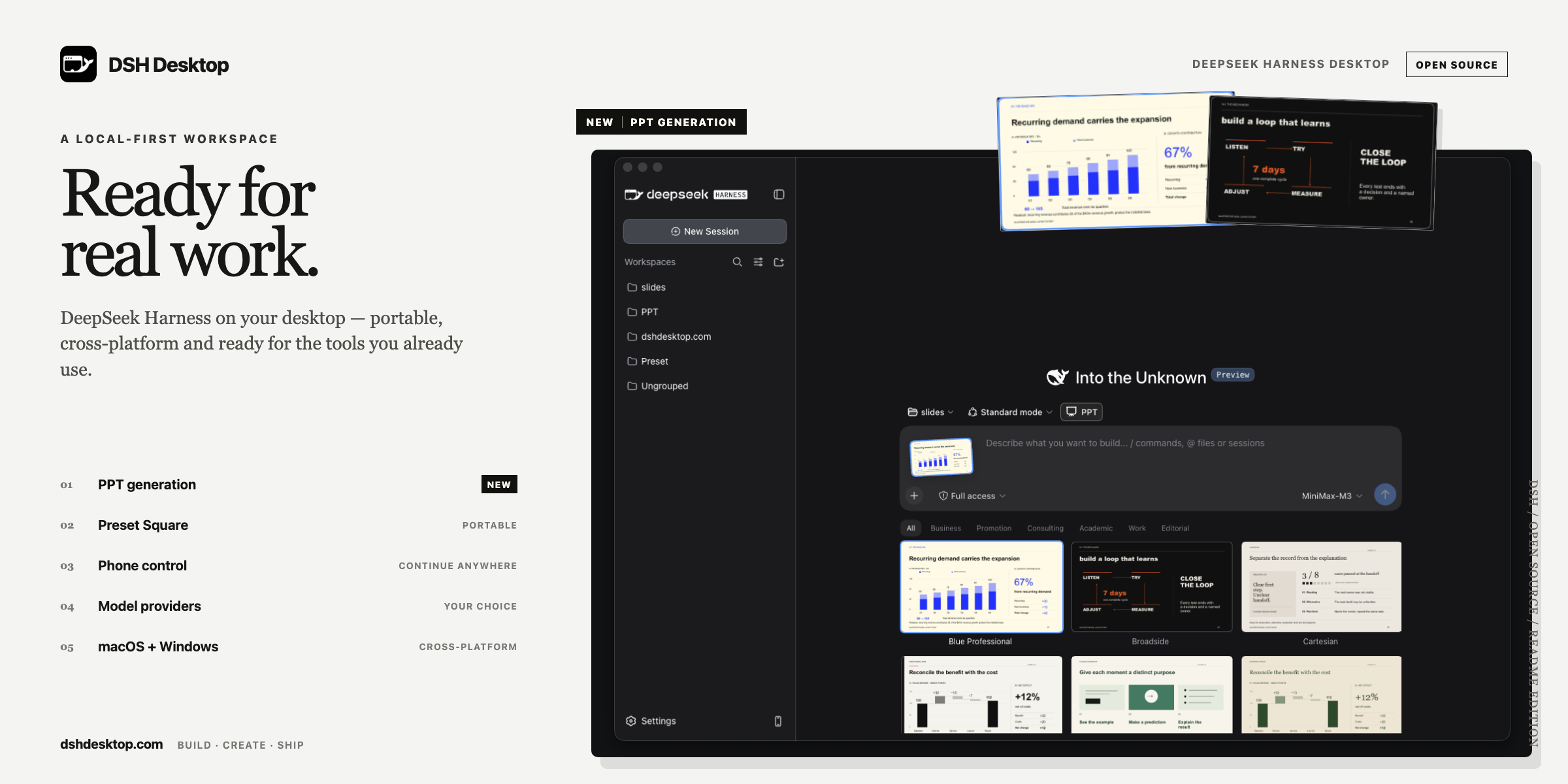
DSH Desktop A local-first, cross-platform desktop app for DeepSeek Harness . English · 简体中文 · 日本語 · Русский · Español · Português Use official DeepSeek models or mainstream third-party providers, manage portable Agent presets, continue Harness sessions from your phone, and turn source material into editable PPTX decks. DSH Desktop packages the local DeepSeek Harness experience as an installed desktop application. It starts Harness automatically, keeps profiles, plugins, workspaces, model settings, and sessions outside the application directory, and opens the full Harness interface as soon as the local runtime is ready. [!IMPORTANT] DSH Desktop is an early preview built on the rapidly evolving `@deepseek-ai/[email protected]`. macOS releases are code-signed and notarized by Apple. Windows x64 installers are code-signed; Windows security warnings may still decrease gradually as the publisher builds download and installation reputation. Download We offer stable and preview releases: download the **stable release**, recommended for everyday use, from our official website. To try a **preview release**, choose a version marked **Pre-release** on GitHub Releases. Preview releases include our newest features and closely track the latest official DeepSeek Harness versions. They may be incompatible with community plugins and are **not recommended for general users**. Early adopters are welcome to try them and share feedback in our community; we roll out updates to the wider community only after validation by early adopters. Installed builds check for updates shortly after startup and every six hours. When a new version is available, DSH Desktop asks before downloading it; installation begins only after you choose **Restart and install**. You can also check manually from the applicat
摘自项目公开 README,可能随上游仓库更新。安装方法
建议先在测试 Profile 中安装,并检查权限、安装脚本和依赖。
npx -p @deepseek-ai/dsh dsh plugin --profile web add github:dataelement/dsh-desktop
使用前检查
- 确认项目符合 DSH bundle 规范,而不只是相关仓库。
- 阅读许可证和安装脚本,检查网络、文件及执行权限。
- 备份配置,并确保插件能够安全卸载或回滚。