

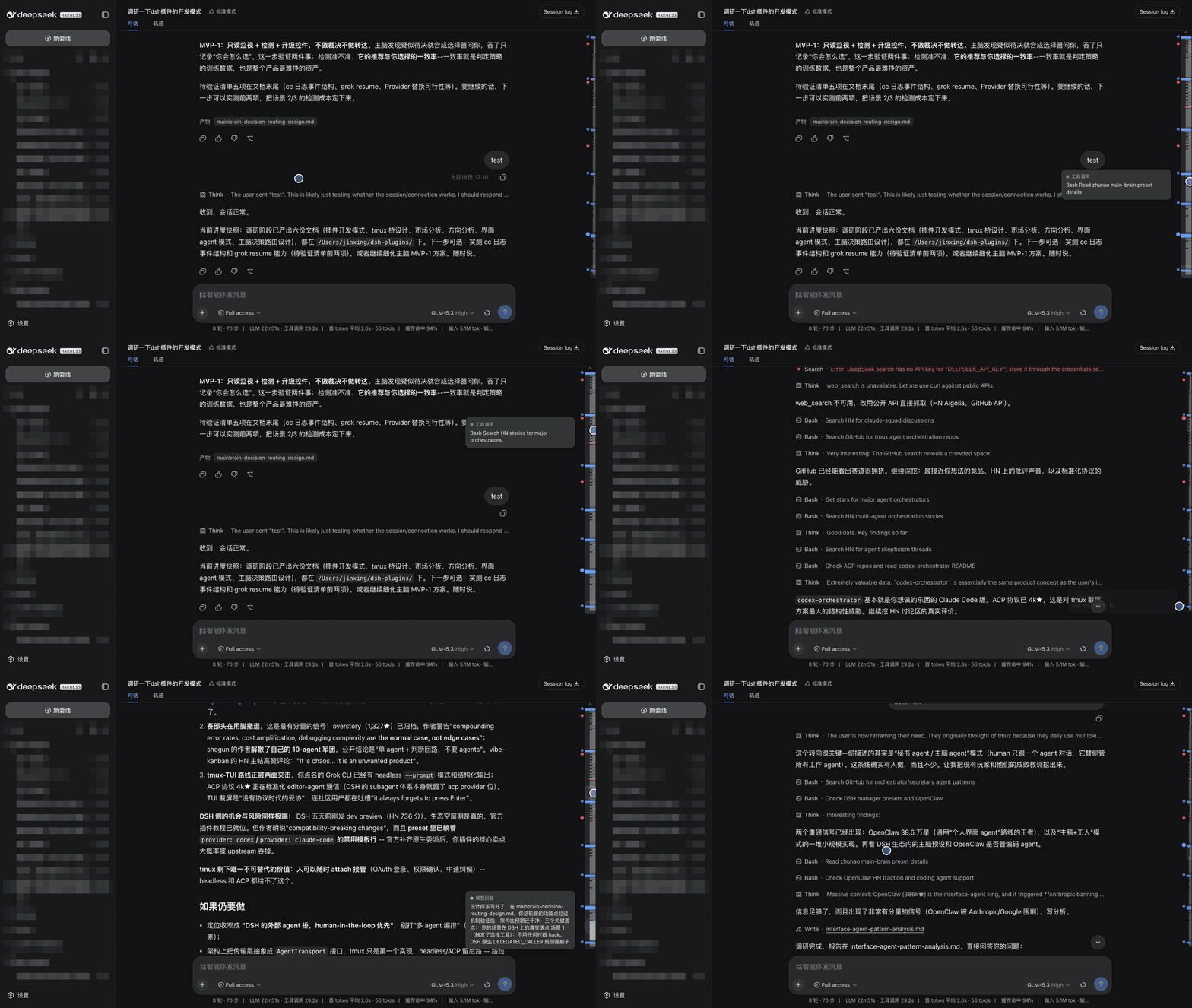
插件介绍
Session strata for the DeepSeek Harness Web GUI: the transcript's scrollbar becomes a to-scale, colour-coded map of the whole run, with your own messages emphasised and clickable anchors.
项目详情摘要
dsh-strata *Read the strata of a run.* English | 中文 A real minimap of the session trajectory for the DeepSeek Harness Web GUI** — it takes the transcript's scrollbar seat and turns it into a scaled, colored picture of the whole loaded conversation, with your own messages emphasised and clickable anchors beside it. Not a tick rail. Every other conversation navigator draws one evenly-spaced dot per prompt, which throws away the only thing a long agent session has too much of: *volume*. Here a band's height is the row's **real rendered height**, so the map is a proportional compression of the scroll extent — a 300-line answer looks like 300 lines, forty tool calls look like forty tool calls, and the viewport lens maps 1:1 onto the scrollbar. What you get is the shape of the run at a glance: where you spoke, how much work each prompt cost, and where it went wrong. What the map shows Band | Meaning | **Full-width blue** | your message (and steering) — always the widest, brightest, never thinner than 5px | Grey block | a model reply; block height is how much it wrote | Thin grey tick | one tool call | Green | a slash command | Amber | a model retry, or a turn cut short by the output cap | Red | a failed turn — or any tool/command row that reported an error | Horizontal rule | a compaction checkpoint: where the model stopped seeing the history above | Rounded outline | the viewport lens (drag it) | The ragged left edge is the index: every blue bar is a turn you started, and the block of agent work under it is what that turn cost. It replaces the scrollbar The rail sits in the transcript's own scrollbar gutter and the native thumb is suppressed while it is up, so there is one scroll control, not two — no layout shifts, because the gutter stays reserved either way. It is a takeo
摘自项目公开 README,可能随上游仓库更新。安装方法
建议先在测试 Profile 中安装,并检查权限、安装脚本和依赖。
npx -p @deepseek-ai/dsh dsh plugin --profile web add github:jsdvjx/dsh-strata
使用前检查
- 确认项目符合 DSH bundle 规范,而不只是相关仓库。
- 阅读许可证和安装脚本,检查网络、文件及执行权限。
- 备份配置,并确保插件能够安全卸载或回滚。