

插件介绍
🐳 DeepSeek Harness Desktop
项目详情摘要
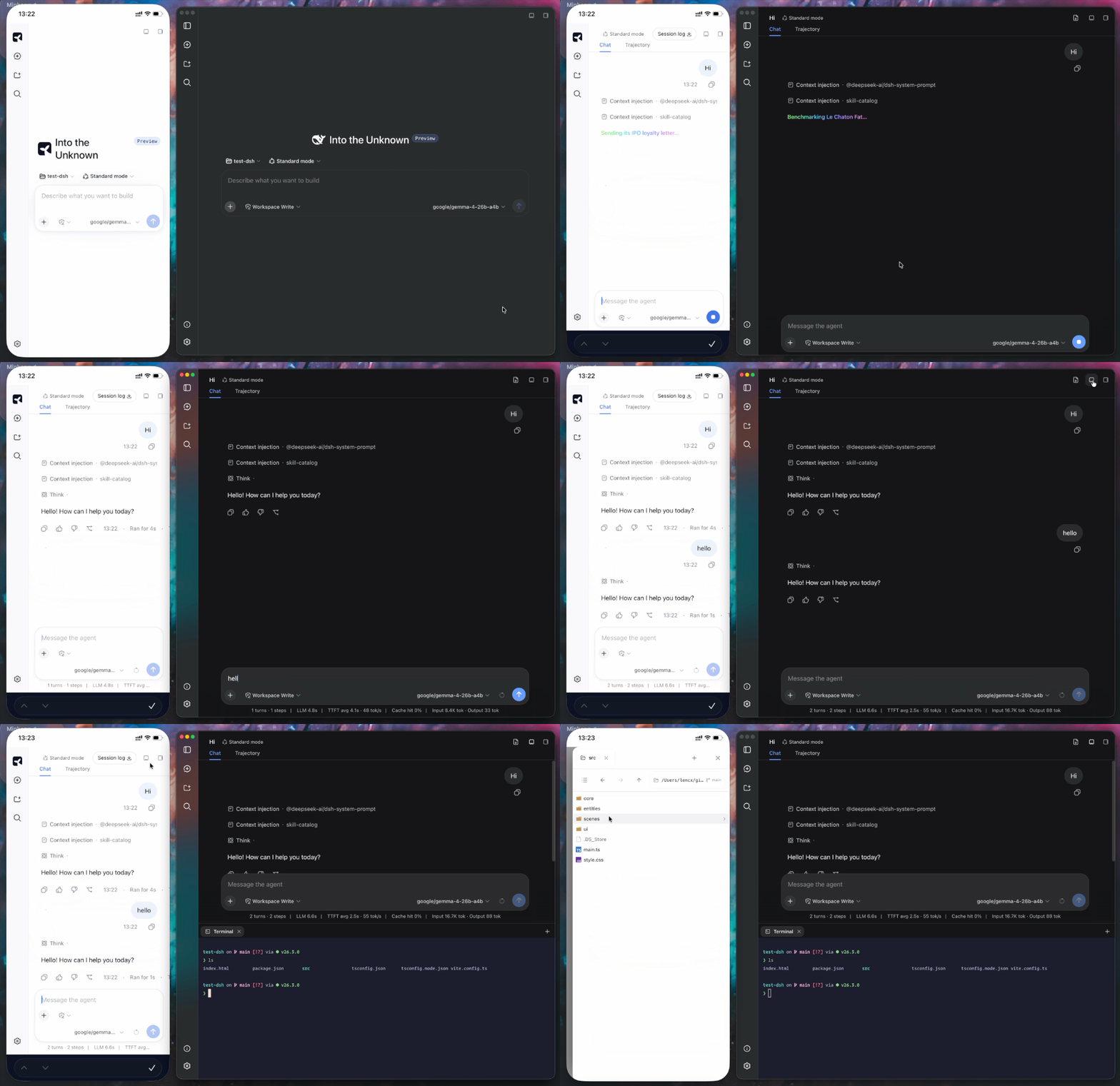
Minke A local-first desktop agent workspace powered by DeepSeek Harness English · 简体中文 Minke brings conversations, files, terminals, and a shared browser into a local-first desktop agent workspace powered by DeepSeek Harness. Available on macOS, Windows, and Linux, with sessions and settings stored on your computer. Minke is an independent community project under active development. Packaged releases may differ from the current source. Highlights **Shared browser control** — Watch the agent work in visible browser tabs, take over at any time, and send annotated page context back to the conversation. **One workspace** — Keep conversations, files, and terminals side by side. Organize work with split views and a bottom panel; edit files, preview documents, and review changes in place. **Access across devices** — Reach your workspace through Web / PWA on a phone or another computer, or start tasks through WeChat, Telegram, and Discord. **Cloud and local models** — Use cloud providers or custom endpoints, discover LM Studio and Ollama models, and optionally start local services. **Agents and plugins** — Use DSH's presets, skills, subagents, and scheduled tasks, and extend the workspace through native plugin management. Remote access from another device Minke remote access is a responsive Web client backed by Minke Host—not a video stream or touch-controlled projection of the Electron window. From a phone you can continue conversations, start agent tasks, manage project files, and use a terminal that runs on the Minke computer. [!NOTE] **Tailscale Serve over HTTPS**, **Tailscale Direct IP**, and **Cloudflare Access** have all completed end-to-end regression testing and are currently available. **Tailscale Serve over HTTPS (recommended)** — Best for devices already joined to t
摘自项目公开 README,可能随上游仓库更新。安装方法
建议先在测试 Profile 中安装,并检查权限、安装脚本和依赖。
npx -p @deepseek-ai/dsh dsh plugin --profile web add github:lencx/Minke
使用前检查
- 确认项目符合 DSH bundle 规范,而不只是相关仓库。
- 阅读许可证和安装脚本,检查网络、文件及执行权限。
- 备份配置,并确保插件能够安全卸载或回滚。