
插件介绍
Task-specific React apps for DeepSeek Harness with state carried into the next Agent turn
项目详情摘要
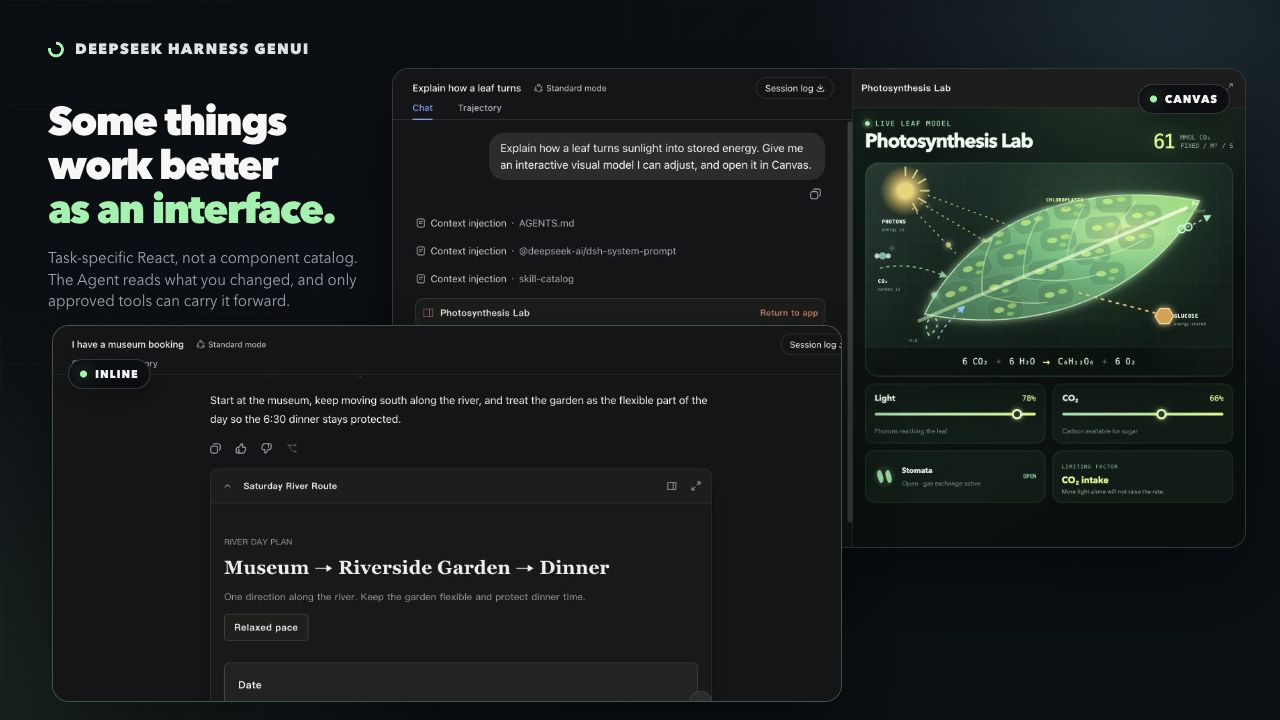
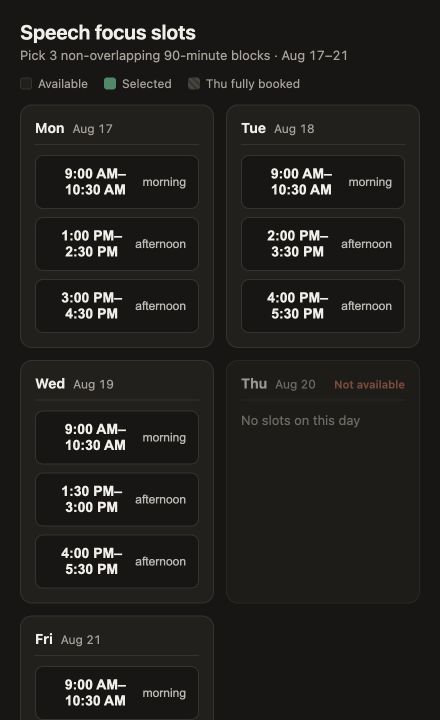
DeepSeek Harness GenUI English | 简体中文 DeepSeek Harness GenUI lets an Agent build a focused interface when a task is awkward in text. The Coding Agent writes ordinary React + TypeScript—not a component-tree DSL—and the interface can save user selections for the next Agent turn. The result is a task-specific app that can explain a difficult relationship, collect connected choices, or continue a tool-backed workflow without asking the user to repeat their input. Related research: *EvoGenUI-Bench: Evaluating LLMs as Multi-Turn Generative UI Assistants*. Install Requires Node.js `^22.19.0 || ^24.0.0` and a supported DeepSeek Harness Web profile. v0.14 supports Inline, Canvas, fullscreen, and localhost on the tested Harness versions listed in the release notes. TUI/headless profiles are not supported. The local compiler uses WebAssembly and needs no install-script approval. Plugin users do not need Chrome or Chromium. Where It Helps Use an interface when the user needs to see a complex relationship or make several connected choices. Plain questions, rewriting, summaries, and simple lists should stay in prose. Pick calendar slots Select useful writing blocks and save them to the task. A later calendar action remains separate and permission-gated. Explore photosynthesis Move four causal controls and see the limiting step change immediately. Trace a code path Turn a source-grounded CLI explanation into a local explorer of files, functions, and branches. The Core Loop 1. The Agent writes and builds a React + TypeScript app for the current task. 2. The user saves meaningful values such as selections, form answers, drafts, or progress. 3. A later Agent turn reads those values and continues the task. 4. Connected tools and public HTTPS routes must be declared. Harness asks for task-
摘自项目公开 README,可能随上游仓库更新。安装方法
建议先在测试 Profile 中安装,并检查权限、安装脚本和依赖。
npx -p @deepseek-ai/dsh dsh plugin --profile web add github:pengyue-polaron/deepseek-harness-genui
使用前检查
- 确认项目符合 DSH bundle 规范,而不只是相关仓库。
- 阅读许可证和安装脚本,检查网络、文件及执行权限。
- 备份配置,并确保插件能够安全卸载或回滚。